

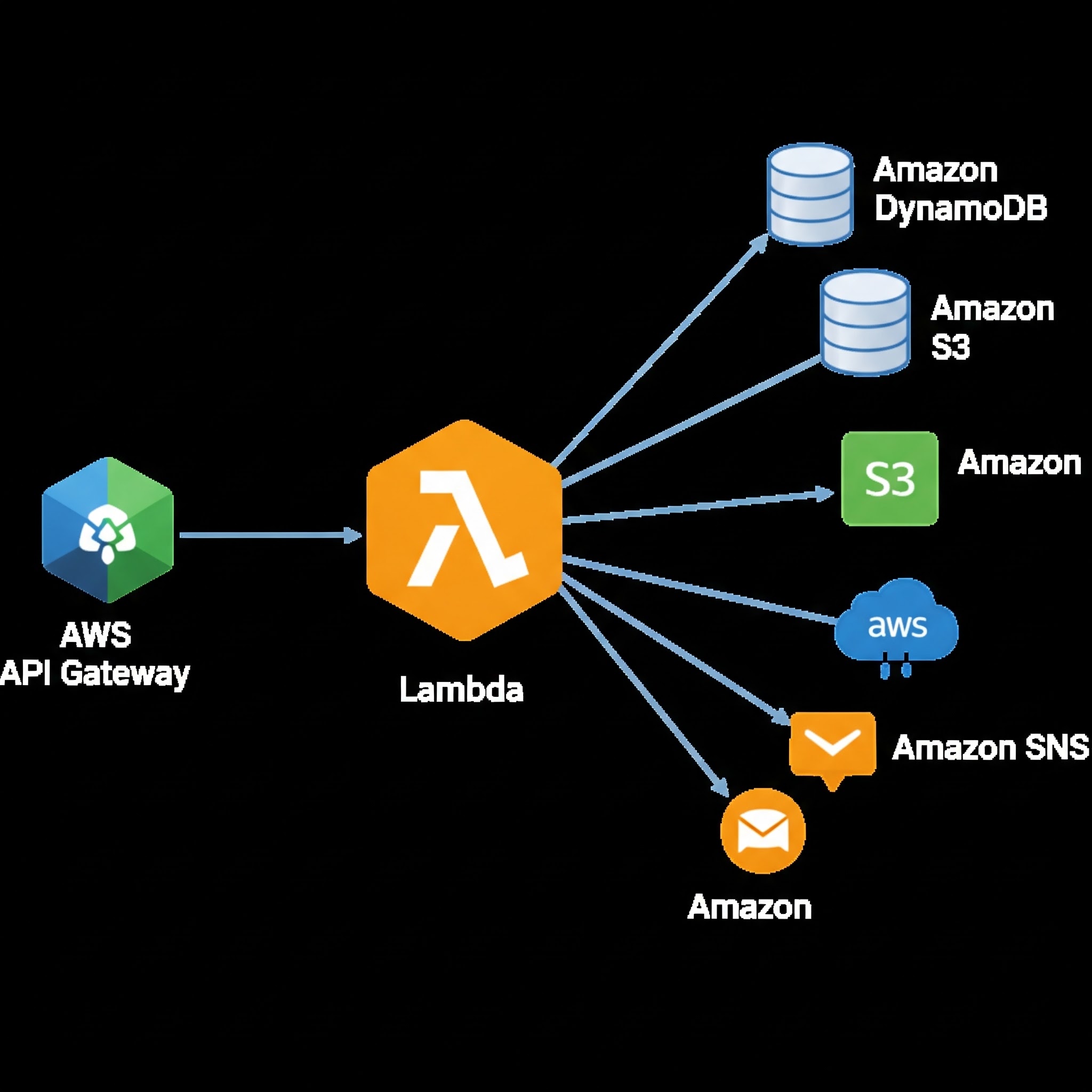
The world of software development is rapidly evolving, and one of the most significant trends in recent years is the adoption of serverless architecture. Serverless computing allows developers to build and deploy applications without managing underlying infrastructure, reducing costs and increasing scalability. At the heart of many serverless applications are APIs, and Amazon Web Services (AWS) provides a powerful tool for building serverless APIs: API Gateway. In this article, we'll explore the benefits of building serverless APIs with API Gateway and provide a step-by-step guide on how to get started.
Introduction to API Gateway
API Gateway is a fully managed service offered by AWS that allows developers to create, publish, maintain, monitor, and secure APIs at scale. With API Gateway, you can create RESTful APIs and WebSocket APIs that can be used to build real-time applications. API Gateway provides a range of features, including support for API keys, usage plans, and SDK generation, making it an ideal choice for building serverless APIs.
Benefits of Building Serverless APIs with API Gateway
There are several benefits to building serverless APIs with API Gateway. Some of the most significant advantages include:
- Scalability: API Gateway automatically scales to handle large volumes of traffic, eliminating the need to provision or manage underlying infrastructure.
- Cost-Effectiveness: With API Gateway, you only pay for the number of API requests you receive, making it a cost-effective solution for building serverless APIs.
- Security: API Gateway provides a range of security features, including support for SSL/TLS encryption, API keys, and usage plans, to help protect your APIs from unauthorized access.
- Integration with AWS Services: API Gateway integrates seamlessly with other AWS services, such as AWS Lambda, Amazon S3, and Amazon DynamoDB, making it easy to build serverless applications.
Building a Serverless API with API Gateway
Building a serverless API with API Gateway is a straightforward process that involves several steps. Here's a step-by-step guide to get you started:
Step 1: Create an API Gateway REST API
To create an API Gateway REST API, log in to the AWS Management Console and navigate to the API Gateway dashboard. Click on "Create API" and select "REST API" as the API type. Enter a name and description for your API, and click on "Create API" to create the API.
Step 2: Create a Resource and Method
Once you've created your API, you need to create a resource and method. A resource is an entity that can be accessed through your API, while a method is an HTTP method that can be used to interact with the resource. To create a resource and method, click on "Create Resource" and enter a name and path for the resource. Then, click on "Create Method" and select the HTTP method you want to use (e.g., GET, POST, PUT, DELETE).
Step 3: Integrate with AWS Lambda
To integrate your API Gateway API with AWS Lambda, you need to create a Lambda function and configure API Gateway to invoke the function when the API is called. To create a Lambda function, navigate to the AWS Lambda dashboard and click on "Create Function". Enter a name and runtime for the function, and click on "Create Function" to create the function. Then, navigate back to the API Gateway dashboard and click on "Integration Request" for the method you created earlier. Select "Lambda Function" as the integration type, and enter the name of the Lambda function you created.
Step 4: Deploy the API
Once you've configured your API Gateway API and integrated it with AWS Lambda, you need to deploy the API. To deploy the API, click on "Actions" and select "Deploy API" from the dropdown menu. Enter a stage name and description for the deployment, and click on "Deploy" to deploy the API.
Best Practices for Building Serverless APIs with API Gateway
When building serverless APIs with API Gateway, there are several best practices to keep in mind:
- Use API Keys and Usage Plans: API keys and usage plans provide an additional layer of security for your APIs, and can help prevent unauthorized access.
- Monitor API Performance: API Gateway provides a range of metrics and logs that can be used to monitor API performance, including latency, error rates, and request counts.
- Use AWS Lambda Dead Letter Queues: AWS Lambda dead letter queues provide a way to handle failed invocations, and can help prevent data loss and improve overall system reliability.
- Implement Security and Authentication: API Gateway provides a range of security features, including support for SSL/TLS encryption, API keys, and usage plans. Implementing security and authentication mechanisms can help protect your APIs from unauthorized access.
Conclusion
Building serverless APIs with API Gateway is a powerful way to create scalable, cost-effective, and secure APIs. By following the steps outlined in this article, you can create a serverless API that integrates with AWS Lambda and other AWS services. Remember to follow best practices, such as using API keys and usage plans, monitoring API performance, and implementing security and authentication mechanisms. With API Gateway, you can build serverless APIs that meet the needs of your application and provide a great user experience. Whether you're building a real-time application, a mobile app, or a web application, API Gateway provides the tools and features you need to succeed.