

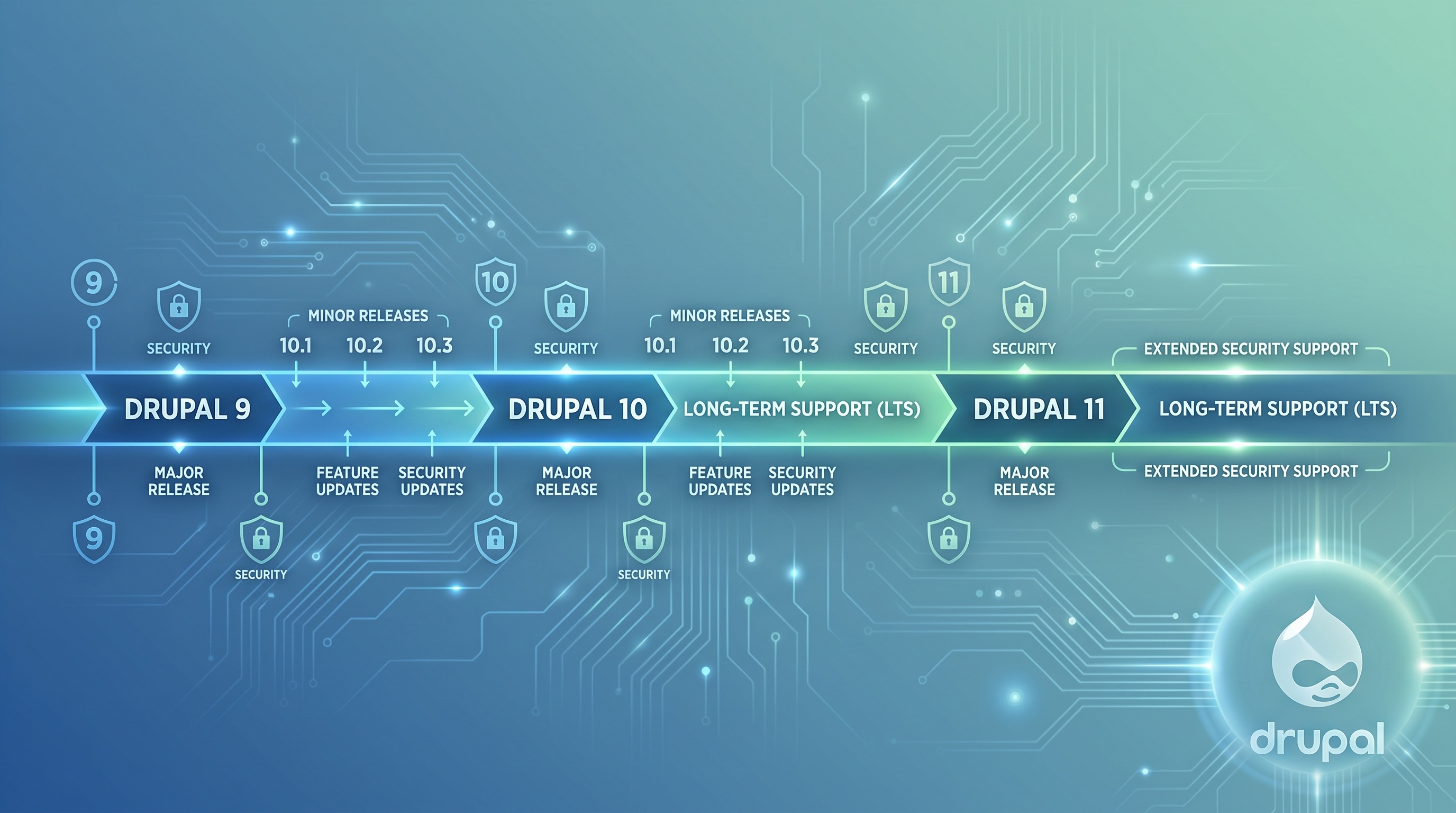
Drupal is a flexible content management system, and its longevity comes from a predictable update schedule and long-term support options. Understanding how versions move from development to stable release is key for site owners, developers, and project managers. This guide covers how Drupal's release cycle works, what the support windows look like, and how to manage upgrades and LTS installations.
How Drupal's Release Philosophy Works
Drupal balances innovation with stability using three types of releases: major, minor, and patch.
Major vs. Minor Releases
- Major releases: These include breaking changes, new APIs, and architectural shifts. They happen every two to three years and change the first digit of the version number, like 9.x to 10.x.
- Minor releases: These add features and improve functionality. They occur about every six months and change the second digit, like 10.1 to 10.2.
- Patch releases: These fix bugs and security issues without adding new features. They change the third digit, like 10.2.1.
Security and Maintenance
Security releases come out as soon as a vulnerability is found. They are higher priority than bug fixes and are back-ported to all supported minor versions. Maintenance releases roll security patches and critical bug fixes into one, extending the life of a version until the next minor release.
The Standard Release Timeline
Each Drupal version goes through a set process to ensure it is stable for production.
- Development phase: Contributors add new features and refactor code over several months.
- Alpha releases: Early builds for experimental testing; not for production.
- Beta releases: Feature-complete builds for broader testing. Core functionality is stable, but bugs may exist.
- Release Candidate (RC): The final version after most bugs are fixed. This is very close to the final release.
- Stable release: The final, official version recommended for live sites.
Every phase has a public roadmap to help teams plan their work and resources.
Long-Term Support (LTS) in Drupal
"LTS" isn't a formal label in Drupal, but the community and commercial partners offer extended support for certain major releases. These contracts usually include:
- Security updates for a longer window, often up to three years after a major release.
- Critical bug fixes back-ported to the LTS version.
- Compatibility patches for newer PHP versions and third-party libraries.
Using an LTS approach helps large, mission-critical sites avoid the hassle of frequent major version upgrades.
Current LTS Versions and Support Windows
Here is a look at recent major releases often covered by LTS agreements:
- Drupal 9: Released in June 2020. Security support ended after three years, but extended maintenance through commercial partners lasted until 2025.
- Drupal 10: Released in December 2022. Three years of core security support, with optional extended maintenance contracts available through 2026.
- Drupal 8: End-of-life was November 2021. There are no official security updates, though some groups still use custom-maintained versions.
When picking an LTS strategy, check how the timeline matches your upgrade policy, look for third-party module updates, and confirm your hosting environment is compatible.
Planning Upgrades
A good plan makes version changes smoother and reduces downtime.
1. Watch the roadmap: Keep track of upcoming releases and security patches.
2. Build a test environment: Always test updates on a staging server first.
3. Audit your modules: Make sure your installed modules work with the new version.
4. Run automated tests: Use Drupal’s testing tools to catch issues early.
5. Schedule the work: Do upgrades during quiet hours and leave enough time to verify everything works afterward.
Best Practices for Maintaining an LTS Site
If you run a site on an LTS version, you need to stay organized to keep it secure.
- Watch security advisories: Join the mailing list and check the security page regularly.
- Install patches fast: Apply security releases immediately, even if you have an extended support contract.
- Check module compatibility: Ensure your modules are updated and work with your LTS version.
- Document custom work: Keep good records of custom modules or themes to make back-porting fixes easier later.
- Plan your migration: Even with extended support, map out your move to the next major version before the window closes.
Conclusion
Drupal’s release cycle delivers innovation while keeping sites stable. Knowing the difference between major, minor, and security releases, and understanding how long-term support contracts work, helps you make smarter decisions about upgrades and risk management. If you follow a clear process and keep up with maintenance, you can use Drupal’s features without worrying about stability or security.