

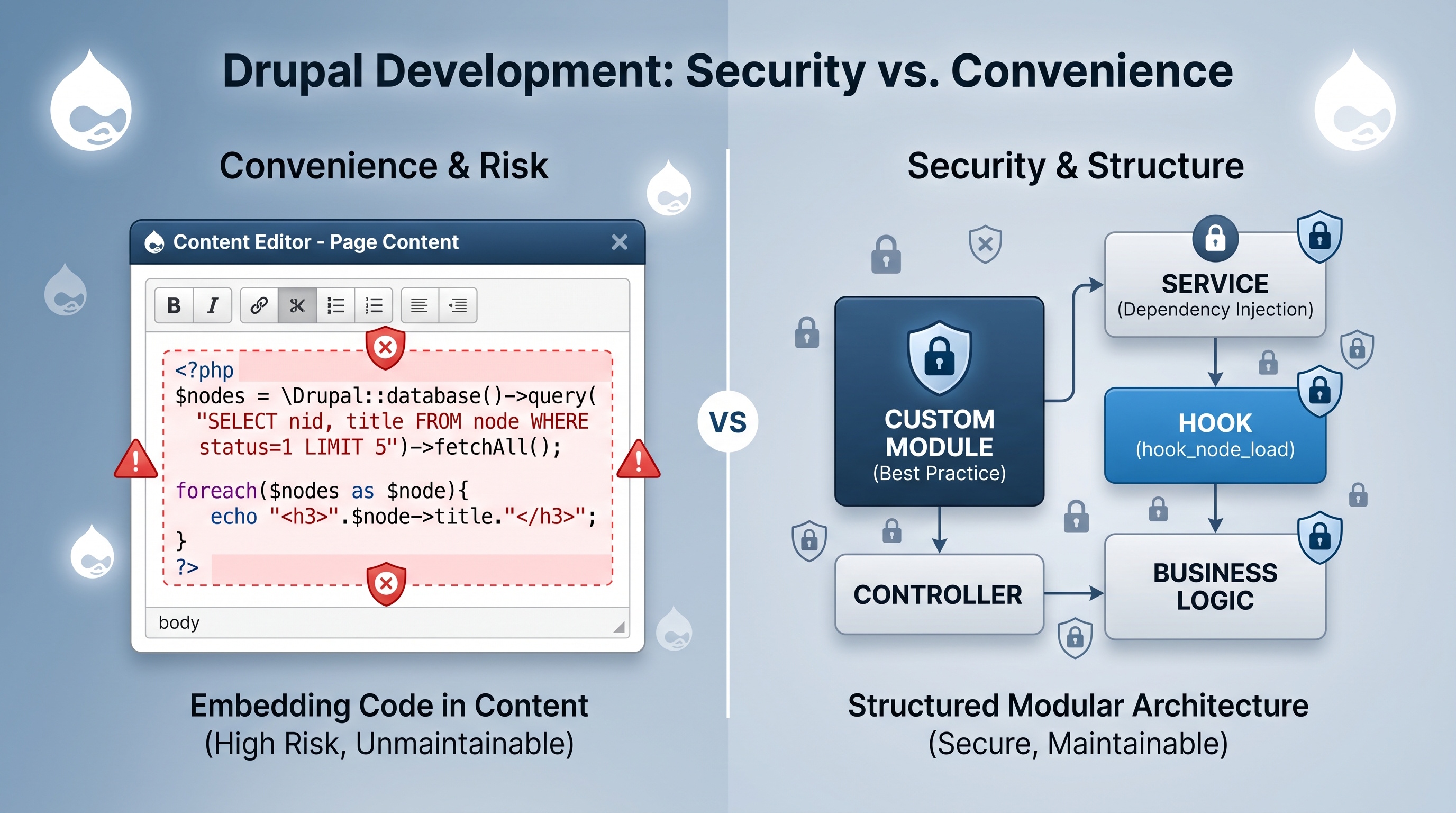
The PHP filter might seem like a quick fix, but it usually creates more problems than it solves. Custom modules take a little more work to set up, but they keep your site safe, fast, and easy to maintain. Unless you are just testing something very simple on a private site, stick to custom modules. Your future self will thank you for keeping the code organized and secure.
Introduction
Drupal makes it easy to add new features to your site, but how you build them matters. Two common ways to add dynamic logic are using the built-in PHP filter or writing a custom module. The PHP filter lets you drop code right into your content editor, while modules keep that logic in organized files. Each has its place, but choosing the wrong one can lead to security holes or a site that is impossible to manage. Let's look at how they work and which one you should actually use for your next project.
Understanding the PHP Filter
What the PHP Filter Does
The PHP filter is a simple tool that reads PHP tags inside your posts or blocks and runs them when the page loads. It was originally built so people who aren't developers could add small bits of logic without needing to touch the server.
Typical Use Cases
- Simple conditional display of text based on user roles.
- Quick insertion of a variable such as the current year.
- One‑off calculations that do not justify a full module.
How It Works
1. An admin turns on the filter in the site settings.
2. You write your code between standard PHP tags inside a post.
3. Drupal runs that code every time someone views the page.
Risks and Limitations
- Security risks: If someone gets access to your editor, they can run any code they want on your server.
- Hard to fix: When things break, finding the error inside a specific piece of content is a nightmare.
- No history: Since the code is in your database, you can't use tools like Git to track changes or go back to an older version.
- Slow speed: Evaluating code this way is inefficient and can slow down your site as it grows.
Custom Modules: An Overview
Definition
Custom modules are folders of code you upload to your server. They follow Drupal's official rules for building features, which makes them much more stable and professional than the PHP filter.
Core Components
- `.info.yml` file: Declares the module’s metadata.
- `.module` file: Implements procedural hooks.
- `src/` directory: Contains object‑oriented classes, controllers, and services.
- Routing and configuration: Defined in YAML files for menu items, forms, and settings.
Typical Use Cases
- Complex business logic that interacts with multiple entities.
- Integration with external APIs or third‑party services.
- Reusable functionality that spans several content types or site sections.
- Features that require configuration, permissions, or UI components.
Advantages
- Safety: You can test your code before it goes live, keeping your site secure.
- Organization: Your code stays in a repository where teams can work on it together and track every change.
- Speed: Modules are built to work with Drupal's caching, meaning your site stays fast.
- Flexibility: You can easily change or expand your features later without breaking the rest of the site.
Comparative Analysis
Pros and Cons in Bullet Form
PHP Filter
- Pros
- Quick to implement for trivial tasks.
- No need for a development environment.
- Cons
- Exposes site to code injection.
- Hard to audit and version.
- Difficult to debug and profile.
Custom Modules
- Pros
- Secure and auditable.
- Supports automated testing.
- Integrates with Drupal’s caching and configuration.
- Cons
- Requires development expertise.
- Initial setup takes longer.
Best Practices and Recommendations
When to Use the PHP Filter
- The site is a small, low‑traffic prototype with trusted editors.
- The required logic is a single line of code that will not change.
- There is no need for reuse across multiple pages or content types.
When to Choose Custom Modules
- The feature involves data manipulation, external services, or complex business rules.
- Multiple editors need to use the functionality, or the code must be audited.
- The site must comply with security standards such as PCI or GDPR.
- Future maintenance, testing, or scaling is anticipated.
Migration Path
If a project starts with the PHP filter and later requires a more robust solution, follow these steps:
1. Identify all nodes and blocks that use the filter.
2. Extract the embedded PHP code into a dedicated function or service.
3. Create a custom module that implements the same output via a hook or controller.
4. Replace the filtered content with a token or placeholder that calls the new service.
5. Disable the PHP filter and remove the old code from the database.
Security Checklist
- Remove the PHP filter from all text formats unless absolutely necessary.
- Limit the “Use PHP code” permission to a single administrator account.
- Log any usage of the filter for audit purposes.
- Review custom module code for proper input sanitization and output escaping.
Conclusion
The PHP filter might seem like a quick fix, but it usually creates more problems than it solves. Custom modules take a little more work to set up, but they keep your site safe, fast, and easy to maintain. Unless you are just testing something very simple on a private site, stick to custom modules. Your future self will thank you for keeping the code organized and secure.